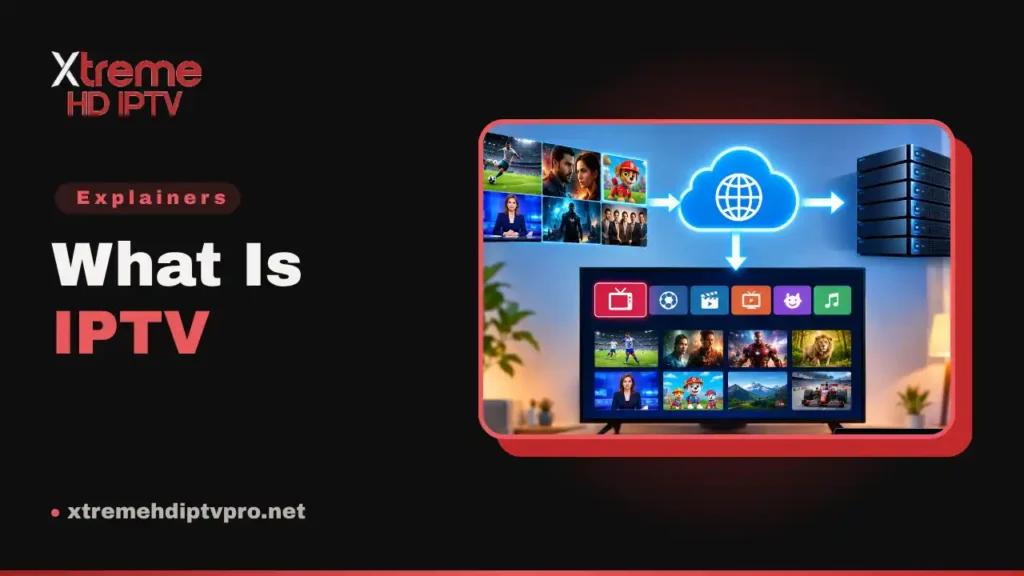
What is IPTV? It stands for Internet Protocol Television: live channels, catch-up and on-demand video delivered over your internet connection rather than through a cable line, a satellite dish or an aerial. You watch through an app on a device you already own. The programme arrives as data, the same way a web page or a video call does.
That paragraph is the direct answer. It is rarely everything the person typing what is IPTV wanted to know. The word arrives with baggage. A friend swears by it. A news story ties it to piracy. Or a mysterious IPTV tab sits in your router’s settings. Each of those is a different question, and this page answers all three.
It covers how the stream reaches your screen and what the jargon in your welcome email means. It also covers what the whole thing needs from your connection, and where the legal line runs. Finally, it compares the idea against cable, satellite and the big streaming apps. Then you can decide whether it deserves a place in your home.
The acronym and the formal definition
Internet Protocol is the addressing system internet traffic runs on. So the acronym itself names only the delivery route. The term has been in use since 1995. There is also a formal definition, and it is stricter than the everyday one. The ITU-T is the international body that wrote the IPTV standards. It defines IPTV as multimedia services delivered over IP networks that are managed to provide the required level of quality of service. The load-bearing word in that sentence is managed, and it is what decides the IPTV or OTT question below.
Whatever the delivery, the content conventionally sorts into three kinds:
- Live television, a stream that runs whether or not you are watching.
- Time-shifted television, meaning catch-up and start-over for programmes broadcast recently.
- Video on demand, a library of films and series you start whenever you like.
Three things the word can mean
One more thing before the mechanics: the question what is IPTV has three different answers. Which one applies depends on where you met the word:
- A delivery technology, which is what the standards describe.
- A shorthand for subscription services that stream live channels to an app. This is how most people use the word today.
- A setting in your home router, which is a different thing altogether and gets its own section further down.
IPTV or OTT: which one you are actually buying
Type what is IPTV into a search engine and several results contrast it with OTT. Usually they do not say which of the two you are looking at. The distinction is real, and it is simpler than those pages make it.
In the standards’ vocabulary, IPTV means a telecom operator delivering television across its own network, end to end. It is engineered so the picture never competes with anyone’s downloads. Think of a phone company’s TV product, supplied with its own box and installed by the company.
Over-the-top, or OTT, is the opposite arrangement. It is video carried across the public internet, where no single operator controls the route. The big streaming apps work this way. So does almost every television subscription you can buy online. You pay the provider directly and watch through an app you installed yourself.
The mismatch nobody mentions
By the formal definition, the thing you are almost certainly shopping for is not IPTV at all. It travels over the public internet, so it is over-the-top delivery wearing an older name. Even the sources disagree on the relationship. Encyclopaedia entries treat IPTV and OTT as opposites. Most industry pages treat them as two flavours of one idea. People now search OTT IPTV as a single phrase. That tells you how blurred the line has become in everyday use.
None of this changes what you should do, but it explains a lot of confusing pages. This article uses the word the way you do. It means television over the internet, bought as a subscription and watched in an app.
How the stream reaches your screen
A channel’s journey from a studio to your living room has more steps than you would guess. Only a few of them change what you experience. Here is the whole chain in order.
- A provider takes in the channel feeds at its data centre.
- Encoders compress each feed and produce it in several qualities at once.
- Middleware, the provider’s management software, holds the subscriber list, the channel lineup, the guide and the on-demand catalogue. Your login authenticates against it.
- Servers, often spread across several locations, hand the stream to the open internet.
- The stream crosses the public internet to your router as ordinary data.
- Your player app requests the stream, presents your login and starts playback.
- Your screen shows the result.
Steps two, three and five are the ones worth remembering. They explain why the picture adapts to your connection and why you got a login instead of an app account. They also explain why every viewer ends up with a stream of their own.
Why the picture goes soft instead of stopping
Because the encoder made several versions of every channel, your player can change quality mid-stream. One mechanism doing that job is HTTP Live Streaming, specified in RFC 8216. That IETF document was written by engineers at Apple and MLB Advanced Media. It splits video into short segments listed in playlists, one playlist per quality level. When your connection dips, the player switches to a lower level and keeps going. That is why a struggling stream usually goes blurry before it freezes. It is also why it sharpens again on its own.
Why the public internet means one stream per viewer
Inside an operator’s own network, a live channel can be sent once and shared by everyone watching it. The technique is called multicast. Between networks, the picture is different. The IETF recommended deprecating any-source multicast between providers in RFC 8815. Deployment experience had shown one of its supporting protocols to be complex and fragile to manage. A service streaming over the open internet therefore sends every viewer their own copy, known as unicast. That step is reasoning rather than a quote from the document.
That one fact does a lot of quiet work. It is why a provider’s capacity is finite and why peak evenings are the stress test. It is why a service advertising unlimited simultaneous streams deserves a sceptical read. It is also the technical fact underneath the connection limit you will meet in a moment.
What you are handed on day one
Pay for a subscription or start a trial, and an email arrives carrying credentials. It does not carry an app. The jargon in that email is where many people first get stuck, so here is what each piece is.
A login, not an app account
Xtreme HD IPTV Pro sends an Xtream Codes login. It is a server URL, a username and a password, entered together into a player app. An M3U link comes too, for apps that use playlists. The credentials authenticate against the provider’s middleware, the management software from the chain above. The player app is a separate program made by somebody else entirely. That is why choosing a service and choosing an app are two decisions, not one. The setup guides show where the details go on each device.
The playlist, the guide and the catch-up
An M3U playlist is a plain text file listing streams, one entry per channel. The playlist format HTTP Live Streaming uses is derived from it.
The EPG is the electronic programme guide, the grid of what is on now and next. The data travels in XMLTV, a format maintained by the XMLTV Project. On demand and catch-up round out the three content kinds from earlier. On demand is a library you start at will. Catch-up replays recent broadcasts for a window of a few days on channels that support it. Here, a full 7-day guide is included for all major channels on every plan. Catch-up on top channels is included on the 1 Year and 6 Months plans.
Devices and connections are counted separately
This is the most misunderstood number in the category, and it usually surfaces as a billing surprise. You can install your login on as many devices as you own. What is metered is connections: every plan here includes one active connection, meaning one stream playing at any moment. If the bedroom starts a stream while the lounge is watching, one of them loses. Households that genuinely watch in two rooms at once can have an extra connection added to any plan.
A quick word on hardware, because you will see it mentioned. Some viewers still prefer a dedicated set-top box such as a MAG unit. Nothing about the service requires one.
The IPTV setting on your router
If you searched what is IPTV because the word appeared in your router’s admin pages, the answer is short. It is probably a relief: you can leave it alone.
Router makers include an IPTV section for customers whose internet provider sells a television product. That product is carried across the provider’s own network. ASUS’s documentation puts the setting under LAN then IPTV and says the configuration values must come from your ISP. TP-Link’s documentation describes the feature as forwarding multicast traffic on a dedicated VLAN, a reserved lane for television data. The nearby options with names like IGMP and VLAN tagging serve that same arrangement.
A subscription you bought online and watch through an app uses none of it. It arrives as ordinary unicast internet traffic, the same as everything else in the house. So there is nothing to enable. That conclusion is reasoning from the vendor documents rather than a sentence inside them. The logic is short: the setting handles multicast, and streaming over the open internet is not multicast.
Two related questions get honest answers here. There is no single IPTV port, because delivery runs over HTTP and each service uses whatever its own servers use. Suppose your internet provider did supply a TV product that needs these settings. Then the right help desk is the router maker or the ISP, not a streaming service.
What it needs from your connection
Less than people fear. Xtreme HD IPTV Pro’s own recommendation is at least 15 Mbps for steady Full HD. For 4K it is 25 Mbps or more.
The number that matters is not your broadband plan’s headline figure. It is what survives the trip from your router to the device doing the watching. Over Wi-Fi that is nearly always lower, sometimes by a lot. A speed test run on a phone standing next to the router measures the wrong thing. A wired connection to your TV device gives the steadiest results, and good Wi-Fi works well in most homes.
Fast lines still stutter. One well-documented reason has a name: bufferbloat, where network equipment queues up too much data. Even a quick connection then becomes practically unusable for real-time use. Evening congestion and a busy household add to it.
Buffering in this category is almost always local, meaning your Wi-Fi, your VPN choice or your device. No subscription will fix those. They sit in your house, out of any provider’s reach. What a provider can fix is its own capacity, which is exactly the part you cannot.
Where it runs well and where it is awkward
Player apps exist for Firestick and Fire TV, Android phones and boxes, Samsung and LG smart TVs, iPhones, iPads and Apple TVs, Windows PCs and Macs, and MAG boxes. That list hides a real asymmetry the sales pages skip.
Android-based devices are the least restricted end. A player can be installed from the store or from outside it.
iPhones, iPads and Apple TVs sit at the closed end. Players come from the App Store, and the choice is whatever is in it. Roku is the strictest of all. Roku’s own developer documentation allows one sideloaded app on a device at a time, through a developer mode aimed at programmers. So in practice a Roku owner uses whatever its Channel Store offers. Samsung and LG sets fall somewhere between, with narrower app choices than Android.
The plain consequence is that the device you already own shapes which apps you can use. Buying the wrong new one is a cost you discover afterwards. If you are buying hardware for this, that asymmetry deserves more weight than any spec sheet.
How an IPTV subscription compares
Anyone asking about IPTV is usually also asking what it would replace. At category level, the differences sit in a handful of rows.
| Cable or satellite | The big streaming apps | An IPTV subscription | |
|---|---|---|---|
| How it reaches you | A dedicated line or a dish | The public internet | The public internet |
| Hardware | The operator’s box, often an install visit | An app on a device you own | An app on a device you own |
| What it carries | Live channels plus the operator’s on-demand | An on-demand catalogue, live is the exception | Live channels plus an on-demand library |
| The guide | The operator’s programme guide | Catalogue browsing, not a guide | A programme guide fed by XMLTV data |
| When it fails | Weather, a line or dish fault, or an operator outage | Your connection, or the service | Your connection, your Wi-Fi, the route, or the provider |
| Commitment | Usually a contract | Rolling subscription | Check each provider’s terms before you pay |
The trade underneath the table is consistency against flexibility. A dedicated cable line does not care what else your household is downloading, while a stream over your broadband does. In exchange you drop the contract and the installation visit. The lineup here is on the channels page. The three plan terms are compared side by side on the pricing page. On commitment, Xtreme HD IPTV Pro’s plans are a single payment for a fixed term with no auto-renewal. Treat that as this site’s policy rather than the category’s.
Is IPTV legal
The technology is. Delivering television over Internet Protocol is a delivery method, defined in international standards. A delivery method has no legal character of its own. The question that matters sits one layer up. Does the party distributing the content have the right to distribute it? Many people asking what is IPTV are really asking this.
That right is what licensing means here. In the United States, for example, copyright law reserves to the rights holder the exclusive right to perform a work publicly. This is set out in 17 U.S.C. 106.
Broadcast channels add a second layer called retransmission consent. Under 47 U.S.C. 325(b)(1), no cable system or other multichannel video programming distributor may retransmit a broadcast station’s signal without the station’s express authority. Rights are granted for specific content on specific terms, and that unglamorous machinery sits behind a legitimate television service.
It is also part of why the category has a reputation for services that vanish. Some operators are shut down after enforcement by rights holders. Others take payments and disappear on their own. The protocol did not do that. The operator did.
The checks you can run before paying
None of this requires a law degree. Before paying anyone in this category, look for:
- A real company identity and a published way to reach it.
- Prices published in full before you are asked for anything.
- A written refund policy you can read before you buy.
- Support that answers you before you are a customer.
Those are checks you can run on this site too. The contact page names how to reach a person and when, which is 8am to midnight UTC, every day. The refund policy is published in full before you buy anything.
A polished website proves nothing on its own, because bad operators can afford design too. Pricing is harder to fake. Licences are expensive. A price far below what the content could possibly cost to carry implies the content was not licensed. The deeper legal questions are not settled here. They include how any of this applies where you live, and they deserve their own page.
Frequently asked questions
What is IPTV in simple terms?
Television delivered through your internet connection. You subscribe to a service, receive a login and enter it into a player app on a device you own. Then you watch live channels and on-demand video, using it like any other app.
Is IPTV free?
The technology costs nothing, but television content does not. Legitimate services pay to carry what they stream, and that cost reaches you as a subscription price. Free or near-free offers of thousands of live channels should make you ask how the content was paid for.
Do I need a set-top box or a satellite dish?
No. An app on a device you already own does the whole job, and nothing is shipped to you. Dedicated boxes such as MAG units exist for people who prefer one. They are a choice rather than a requirement.
Is IPTV the same as the big streaming apps?
They travel the same way, over the open internet to an app. The difference is what they lead with. The big apps sell an on-demand catalogue. An IPTV subscription sells live channels with a programme guide, plus a catalogue behind them.